How can I track specific URLs that had ranking declines?
Are certain URLs responsible for your drop in rankings? This is how you find out.
Contents
Go to the Landing Pages dashboard and make sure you have the Rank metric selected.

In the Losers chart, you can see the URLs that have lost the most rankings. You can get even more details on them by going to the URLs chart down below it.

Sort this chart by the change in Rank column in ascending order, so the biggest drops will appear together.

This will show you which URLs have had the most ranking losses within the time period you have selected.
In the Keywords column, you can see how many keywords phrases that URL is ranking for.
Click on the number in the Keywords column to examine all of these keywords more closely.

\
This will take you to the Keywords dashboard, where you will see that the Focus has been changed to the specific URL you selected.

This will show you the keywords that this specific URL is ranking for.
However, if you want to see which ones have had the most rank drops, you simply sort by the Rank Change column again. (Note that this will simply make the Keywords chart match up with what you’re currently seeing in the Losers chart.)

Now, you can see exactly which phrases dropped the most for this URL in the selected time frame.
Let’s dive into this data a little further.
Click one of the keywords you want to analyze. This will take you to the Single Keyword dashboard where you can see the history of that keyword or look at the SERP Snapshot to see exactly what the search engine was displaying on the selected day.
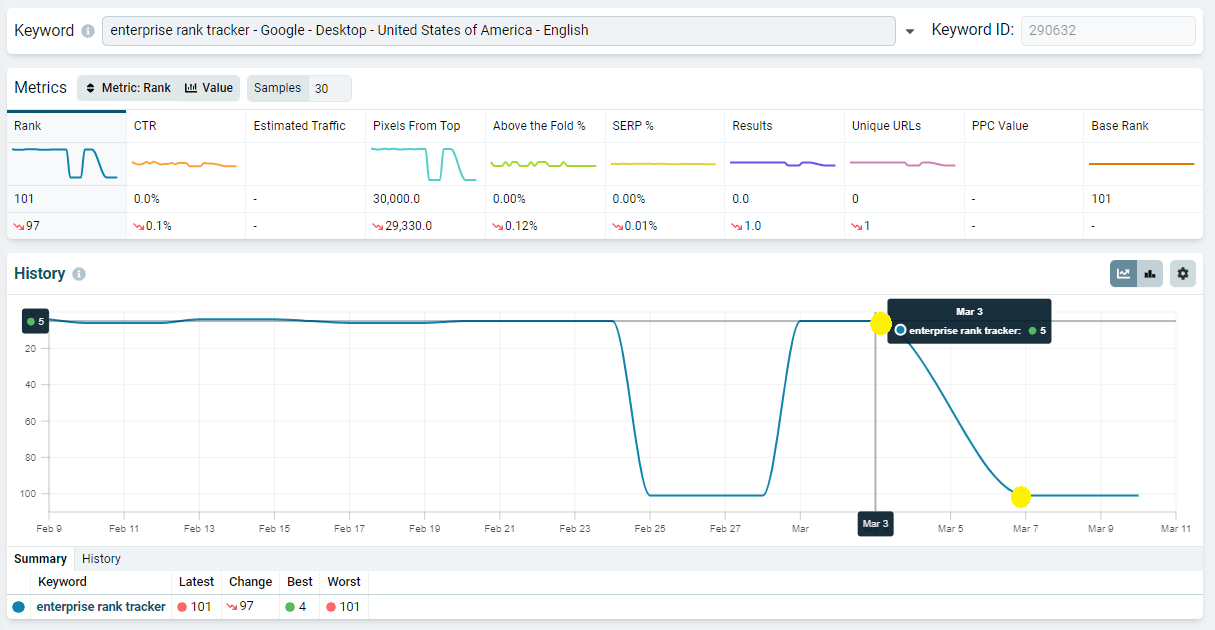
On this dashboard, you can choose different dates to compare, for example: today and the last day before the rankings dropped.
In this case, we’re comparing March 3 to March 7 because that’s where the drop happened.
The History chart shows us that this specific URL dropped out of the collected results (which is why it was reported at #101), but if we look closer, we can see that nozzle.io is still ranking #10.
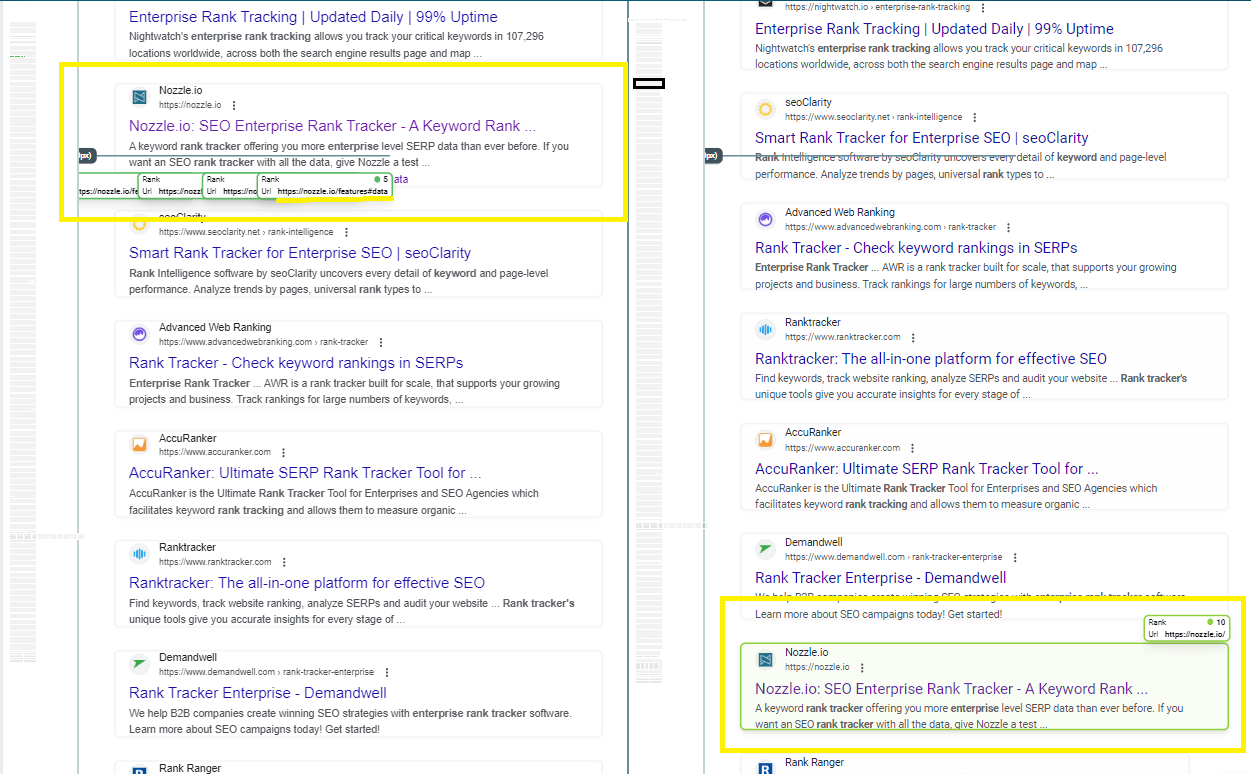
When we compare histories like this for these URLs, we can see that, for whatever reason, Google was including site links for our page, but now it does not.
So our main domain is still ranking, but that specific URL we were examining was actually in those site links. So, this apparent drop isn’t because of anything major. Google simply isn’t displaying our site links anymore.
This is something that you can report on and potentially consider in future strategies.
Track a list of URLs
You can also track the rankings of several URLs at once.
If you have a list of URLs at the center of your strategy, or you simply want to focus on a number of URLs that have lost the most rankings during this time frame, this is how you can do that:
You will need to create a custom segment to get started.
Click the Add Condition button and select:
- “Result>URL>URL”
- Leave the middle section on: “=”
- In the “Values” section, input the URL you want to track.
- Click “Or” and then do the same thing for each URL that you want to track in this segment.
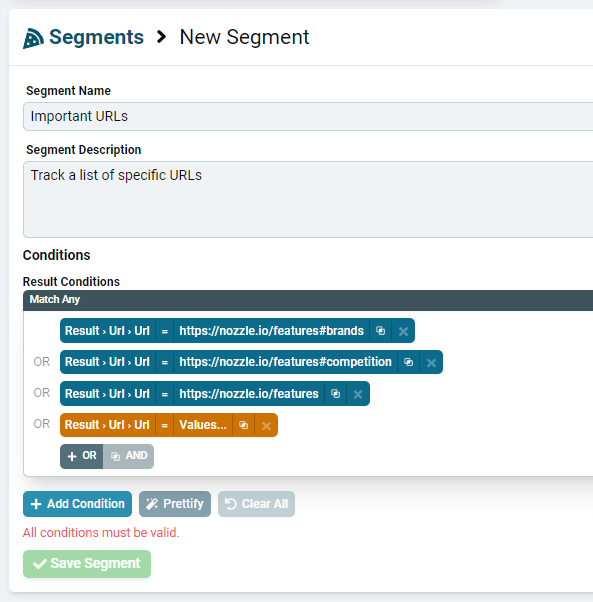
Click Save Segment and, as always, will take about 20 minutes or so for the data to show up in the dashboards.
Once everything is worked out on the backend, you can choose this segment on your dashboards.
If you go to the Keywords dashboard, leave the Focus on Brand, and choose this segment, you will see a list of all the keywords that rank for those URLs.
Now you’ll have an extensive list of keywords that pertain to those URLs and get a good list of keywords that you need to focus on or forget.
Related articles