Account & Billing
How do I delete a Project?
When it’s time to clean up your Workspace, this is how to do it.
Updated March 22, 20241 min read
Contents
This is the process for deleting a Project from your Workspace.
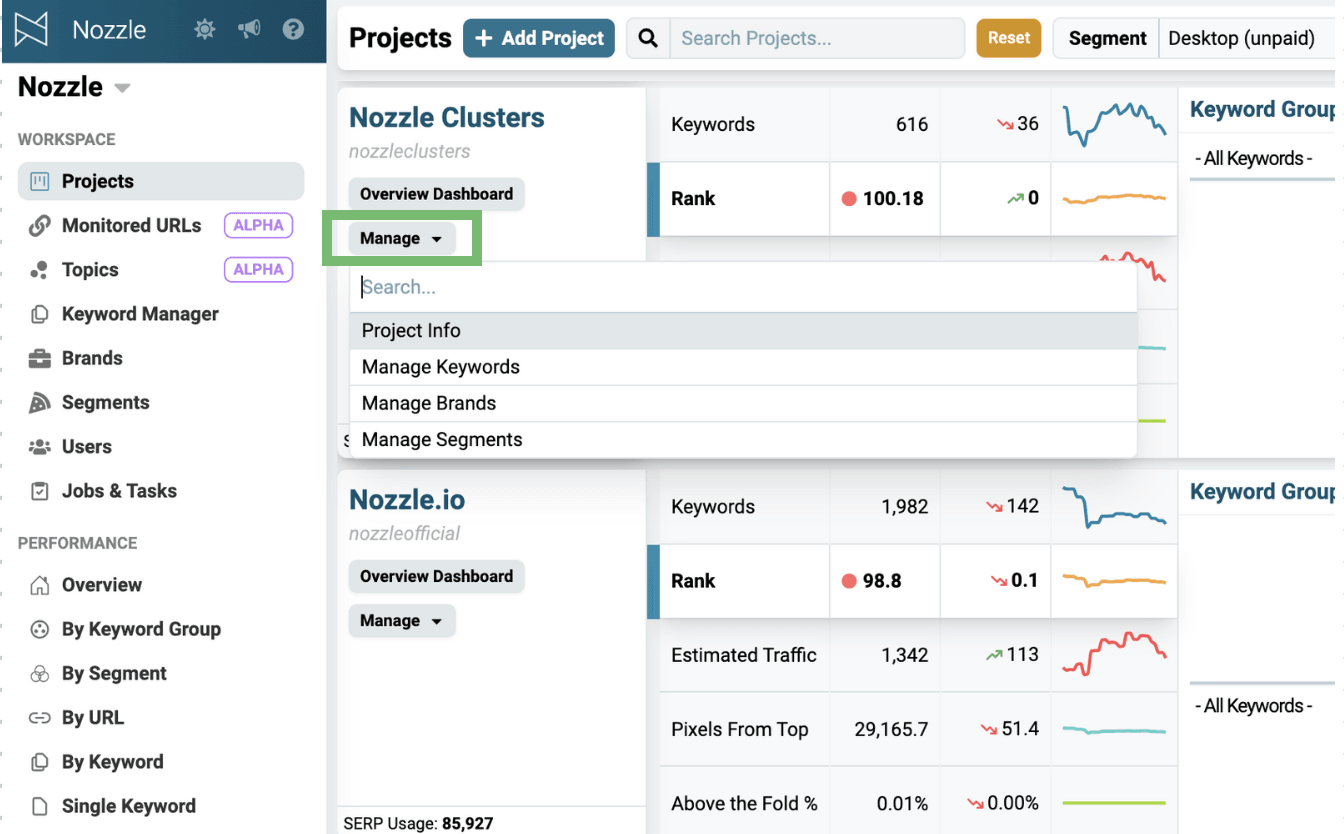
Starting on the Projects page:
- Click the Manage dropdown in the project card.
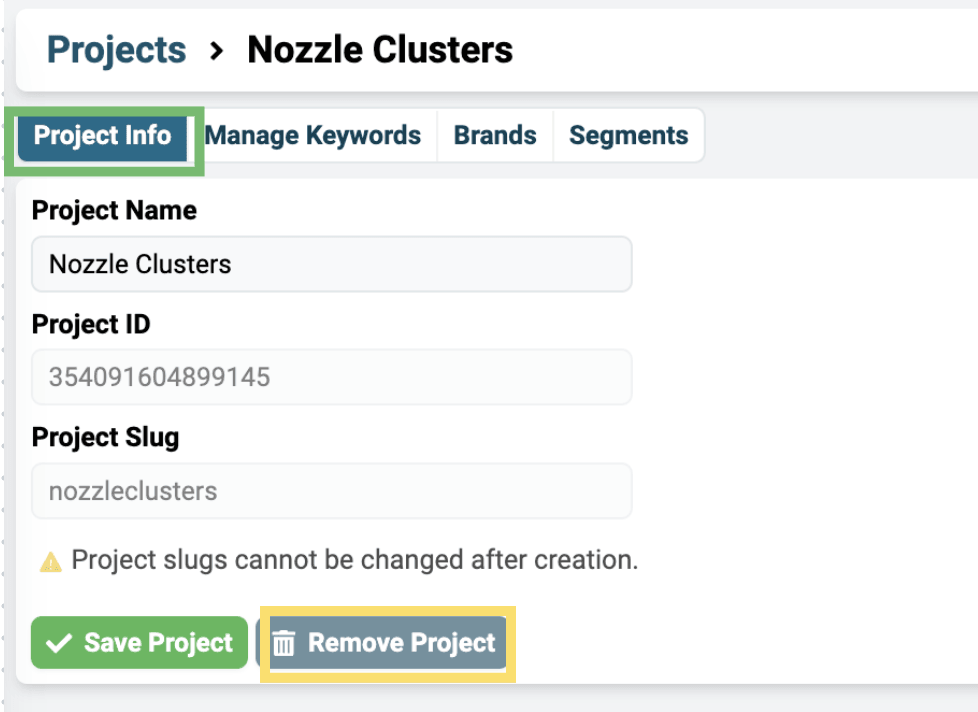
- Click the Project Info button in the bar above the Keyword Sources.
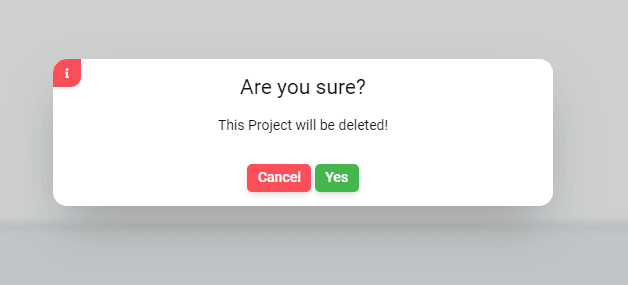
- Click Remove Project and then confirm this is what you want to do in the popup.


Before You Delete…
Once a project is gone, it’s gone.
So, alternatively, you could just delete the schedule rather than the entire project.
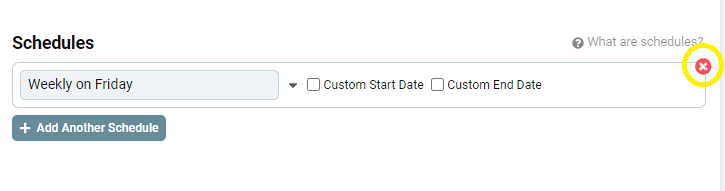
This will stop the system from scanning those SERPs – so you can use your SERPs on new or other projects – but everything you have set up will remain. You can come back and start it up again by giving it a new schedule.
Of course, if you’re simply done with that Project/Client, delete away.
Related articles
What is the difference between a Workspace and a Project?I want to track keywords for a new project or client. Should I create a new Workspace or a new Project?How do I create a new Project for each of my clients?How to create a separate Nozzle Project for each client in your Workspace. Projects are free and unlimited; keywords count against your billing plan.Getting Started with your WorkspaceA tour of your new Nozzle workspace: adding keywords, brands, and segments, inviting users, managing projects, and finding your dashboards.