Account & Billing
How do I find my Workspace and Project slugs?
Where to find your Workspace slug in Workspace Settings and each Project's slug on the Projects page in Nozzle. Renaming never changes a slug.
Updated March 22, 20241 min read
Contents
Find Your Workspace Slug
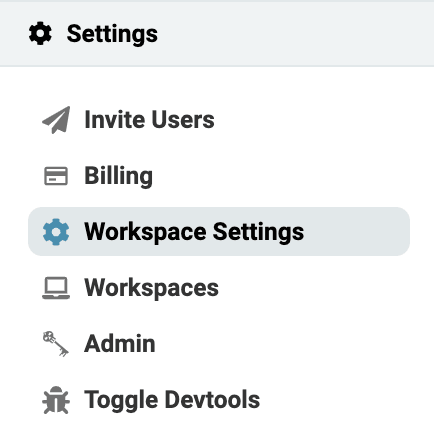
- At the top of the left-side navigation, click the Workspace Settings in the Settings dropdown.
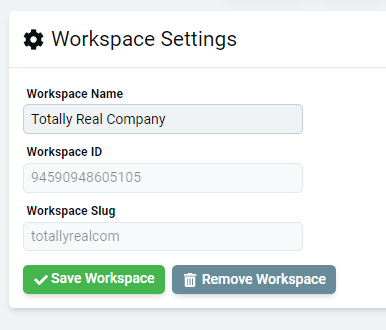
- Your Workspace slug is listed here along with its name and ID. Changing a Workspace name does not change its slug.
Find Project Slug
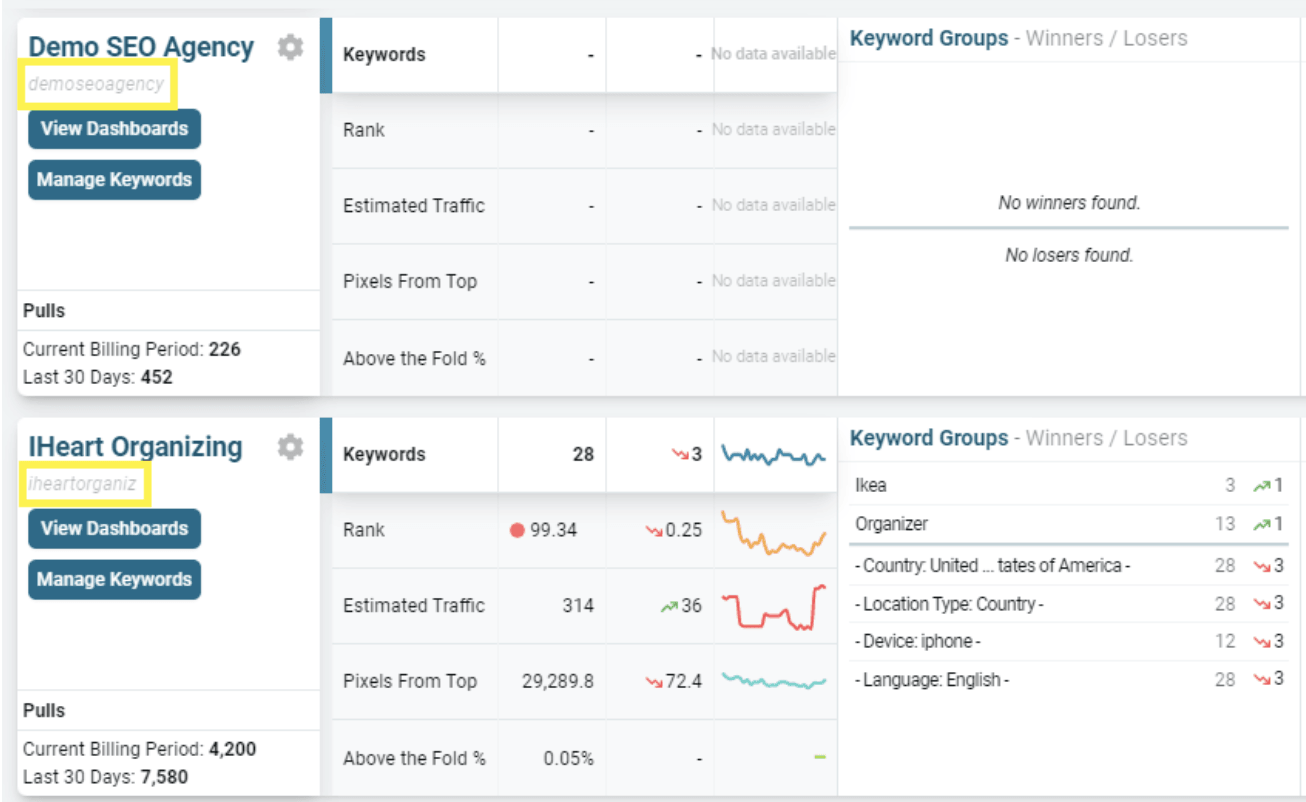
- Each Project's slug is listed directly below its name in the project summaries on the home screen.
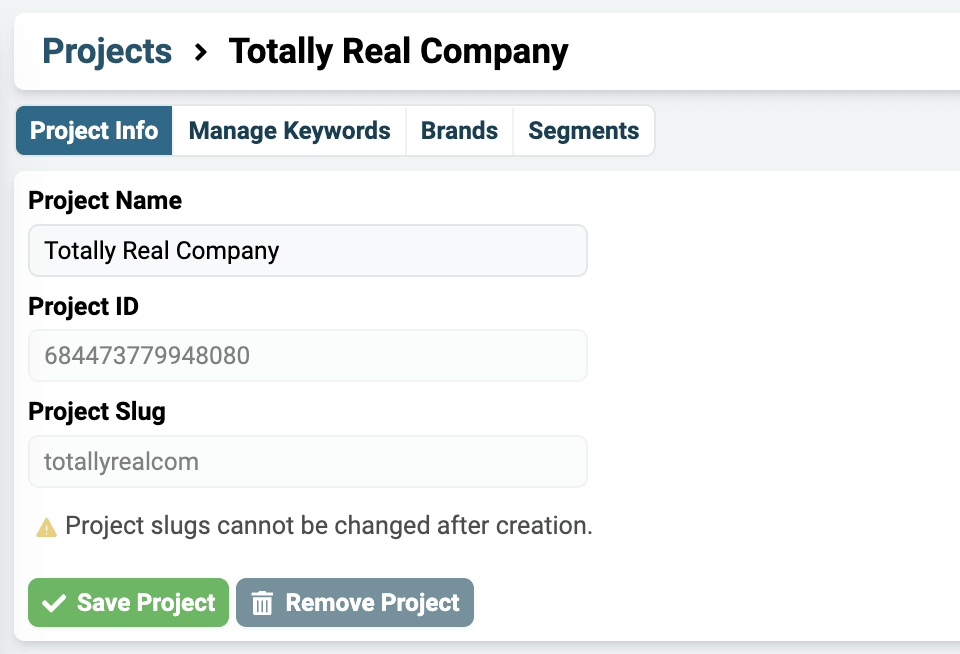
- Alternatively, click on the Settings Cog next to a project on the Projects Overview page, then select the Project Info tab to view its slug and ID. Changing a project name does not change its slug.

Related articles
How do I create a new Project for each of my clients?How to create a separate Nozzle Project for each client in your Workspace. Projects are free and unlimited; keywords count against your billing plan.How do I access my data in BigQuery?How to get BigQuery access to your Nozzle data: find your workspace and project slugs, request access for users or a Google Group, and open your dataset.What is the difference between a Workspace and a Project?I want to track keywords for a new project or client. Should I create a new Workspace or a new Project?