Account & Billing
How do I change an email address for a user?
Currently, there is no direct way to edit/change your email account. However, you can easily create a new account and delete the old one.
Updated April 12, 20241 min read
- Click the Users button in the left navigation panel.
- Click +Invite Users.
- Enter the first and last name and the new email address and click the green Invite Users button.
- Check your email for the new invite and log in with this new account.
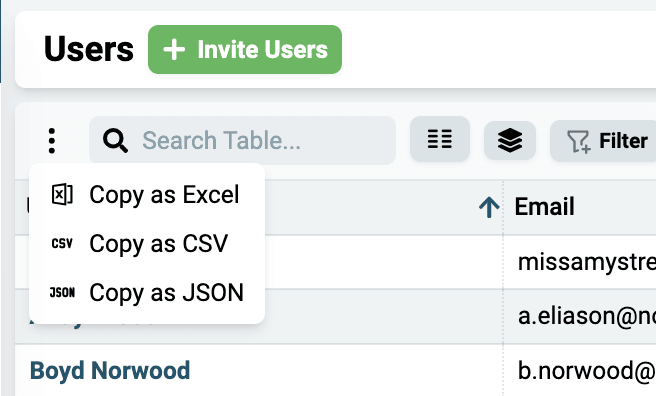
- Click the Ellipsis menu next to the search table to copy and export the user file.
- To delete a user, click on their name and then select the gray Remove User button.
- Alternatively, you can leave the old account as-is and simply use the new account with the updated email address. (Just in case you ever do need to access Nozzle through the old email address.)
Related articles
How do I invite other users?How to invite other users to your Nozzle Workspace from Settings, one at a time or in bulk. Invited users get access to every Project in the Workspace.Why didn’t I get the email with the sign-in link?What to do when the Nozzle sign-in link email does not arrive: check spam and promotions folders, wait out delays, or use the Log in with Google option.Why Can't I Log In?The five most common reasons a Nozzle login fails, from adblockers blocking Firebase to signing in with the wrong email or workspace, and how to fix each.